01
Paired FASTQ
R1 / R2 reads plus a CSV sample sheet; metadata is optional.
INPUT
Amplicon sequencing pipeline
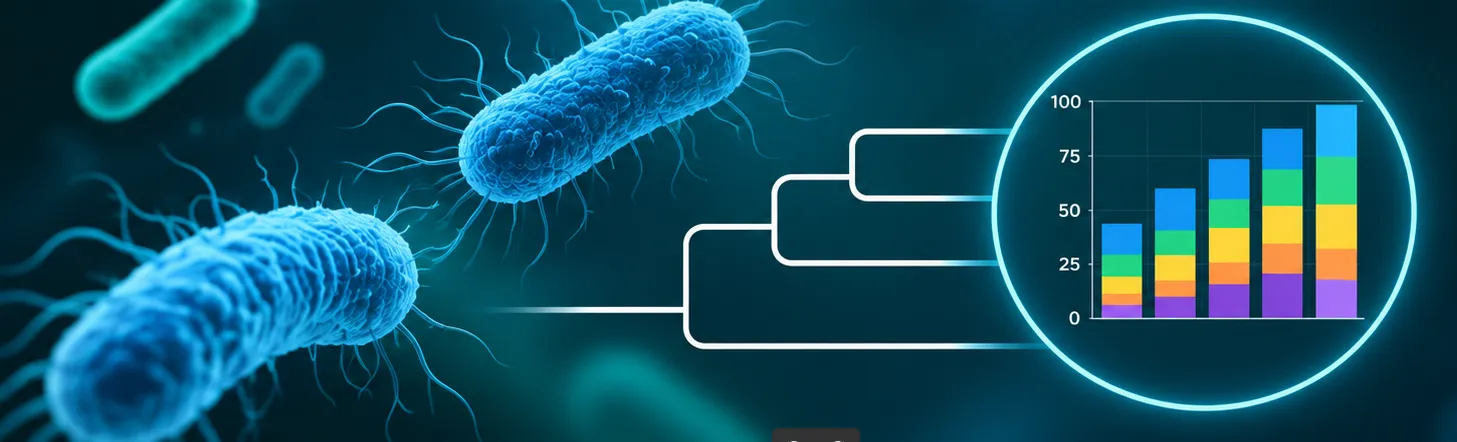
A modular Nextflow workflow for paired-end 16S reads, from quality control and DADA2 ASV inference to optional taxonomy, community analysis, and phylogeny.
The current implementation and fixtures target bacterial 16S rRNA; ITS support is not established.
Module 01 · Installation
Get ASVFlow installed and ready: prepare the Linux environment, clone the workflow, fetch its containers and references, then confirm the configured defaults.
Installation step 01
The workflow targets paired-end bacterial 16S rRNA data and documents Linux execution with Apptainer or Singularity. Keep network access available while downloading images and SILVA references.
| Requirement | Purpose |
|---|---|
| x86_64 Linux | The provided container images are x86_64 builds. |
| Java 11 or newer | Runs Nextflow. |
| Current Nextflow with DSL2 | Coordinates the pipeline. Install from the official Nextflow instructions and verify with nextflow -version. |
| Apptainer or Singularity | Required container runtime; nextflow.config enables Singularity and automatic mounts. |
| curl | Used by bin/download_tools.sh to fetch SILVA files. |
| Linux host utilities | The workflow uses containers for scientific packages. The optional dashboard launcher additionally uses Bash, Python 3, setsid, GNU stat and curl; ss or lsof helps check ports. |
ASVFlow does not install Java or Nextflow. Follow the official install steps for your Linux environment, then confirm both are available in the shell used for the run.
Official Nextflow installation guide ↗Installation step 02
git clone https://github.com/Kpmurshid/ASVFlow.git
cd ASVFlow
The project root contains main.nf and nextflow.config. DSL2 processes live under modules/, helper scripts under bin/, container definitions under containers/, and the results viewer under dashboard/. Setup creates tools/ and databases/silva/.
main.nf: workflow wiringnextflow.config: defaults, runtime and resourcesmodules/: QC through optional analysesbin/: setup and validation scriptscontainers/: selected project image definitionsdashboard/: Streamlit results viewerInstallation step 03
Nextflow assigns container images to individual processes. The configuration enables Singularity execution and automatic mounts; Apptainer is compatible with this setup. The supported setup script pulls pinned images into tools/.
./bin/download_tools.shThe script needs Apptainer or Singularity, curl, network access and disk space. It pulls DADA2, Cutadapt, FastQC, MultiQC, statistics, dashboard, MAFFT and FastTree images, plus auxiliary report and SeqKit images. MAFFT and FastTree serve the optional phylogeny workflow. Existing non-empty images are skipped.
Installation step 04
The same ./bin/download_tools.sh command downloads the default SILVA v144 files to databases/silva/144/ and validates checksums and gzip integrity. Taxonomy is optional; the genus reference is only required when taxonomy runs. The species assignment reference is additionally required only when species addition is enabled.
| v144 reference | Use |
|---|---|
| silva_nr99_v144_toGenus_trainset.fa.gz | Required for genus classification when taxonomy is enabled. |
| silva_v144_assignSpecies.fa.gz | Required only for optional species assignment. |
| silva_nr99_v144_toSpecies_trainset.fa.gz | Downloaded by setup but not consumed by the current workflow parameter path. |
Automatic filename resolution is implemented for v144 and v138.1. The setup script downloads v144 only. For v138.1, the expected files are silva_nr99_v138.1_train_set.fa.gz and (for species) silva_species_assignment_v138.1.fa.gz under databases/silva/138.1/. Other versions need explicit reference paths when configuring a run.
Installation step 05
Defaults live in nextflow.config. The workflow uses tools/ and databases/ under the project by default. DADA2 is enabled; taxonomy, community analysis, phylogenetic analysis and the dashboard are disabled. Paired primer removal is the default, so a run must supply both primer sequences unless you set --primer_mode none.
./bin/validate_environment.shThis validates the installed runtime, downloaded images and bundled example FASTQs; it does not install missing software. Set per-analysis options on the Nextflow command line as described in the Usage Guide.
Module 02 · Running analyses
Learn how to prepare paired FASTQ inputs, choose analysis options, run ASVFlow, monitor execution and interpret the results from a completed workflow.
Usage step 01
Provide one row for each sample, with matching forward (R1) and reverse (R2) FASTQ files. The exact CSV header and order are sample_id,fastq_1,fastq_2. Paths are resolved relative to the directory where Nextflow is launched; both files must exist and gzip-compressed files must pass integrity checks.
| Column | Meaning |
|---|---|
| sample_id | Unique sample name; used to match optional metadata. |
| fastq_1 | Forward R1 FASTQ path. |
| fastq_2 | Matching reverse R2 FASTQ path. |
sample_id,fastq_1,fastq_2
SAMPLE01,data/SAMPLE01_R1.fastq.gz,data/SAMPLE01_R2.fastq.gz
SAMPLE02,data/SAMPLE02_R1.fastq.gz,data/SAMPLE02_R2.fastq.gzpython3 bin/validate_samplesheet.py samplesheet.csvOptional metadata can be CSV or TSV, with a sample_id or sampleid column matching the samplesheet. Other columns describe sample variables and can support PERMANOVA.
sample_id,group
SAMPLE01,control
SAMPLE02,treatedUsage step 02
Pass overrides as --parameter value on the Nextflow command. These are the important defaults from nextflow.config:
| Setting | Default / behavior |
|---|---|
| Primers | primer_mode=paired; paired mode requires --primer_fwd and --primer_rev. --primer_mode none skips Cutadapt. Cutadapt defaults: error rate 0.1, overlap 3, min length 50, discard untrimmed pairs. |
| DADA2 | run_dada2=true. trunc_len_f/r=0; max_ee_f/r=2; trunc_q=2; max_n=0; min_len=50; rm_phix=true; low-complexity filter off; pooling false. |
| Taxonomy | run_taxonomy=false; silva_version=144; genus classifier reference resolves automatically for v144/v138.1. Species addition is off and needs its assignment reference. |
| Community | run_community_analysis=false; requires DADA2. PERMANOVA needs metadata; composition needs a taxonomy table. |
| Phylogeny | run_phylogenetic_analysis=false; requires DADA2. Faith’s PD and weighted/unweighted UniFrac require community analysis too. |
| Outputs | --outdir defaults to results. --taxonomy_table may provide an existing taxonomy TSV for community analysis. |
| Dashboard | enable_dashboard=false; dashboard_port=8501; dashboard_bind_address defaults to 127.0.0.1 and accepts --dashboard_bind_address or DASHBOARD_BIND_ADDRESS. |
Known versions 144 and 138.1 resolve filenames automatically. For another version, set --silva_genus_ref; if species addition is requested, also set --silva_species_ref.
Usage step 03
This runs raw and post-primer quality checks, paired Cutadapt trimming and the default DADA2 ASV workflow. Replace the example primer sequences with those used by your assay.
nextflow run main.nf \
  --sample_sheet samplesheet.csv \
  --primer_fwd GTGCCAGCMGCCGCGGTAA \
  --primer_rev GGACTACHVGGGTWTCTAAT \
--outdir results/basic_runUsage step 04
Taxonomy is off by default. Enable the DADA2 genus classifier using the downloaded SILVA v144 reference. For species-level addition, also enable the species option; it requires the species assignment reference and exact matches, so few or no ASVs may receive a species label.
nextflow run main.nf \
  --sample_sheet samplesheet.csv \
  --primer_fwd GTGCCAGCMGCCGCGGTAA \
  --primer_rev GGACTACHVGGGTWTCTAAT \
  --run_taxonomy true \
  --silva_version 144 \
--outdir results/taxonomy_runAdd --taxonomy_add_species true alongside taxonomy and ensure the species assignment reference is present. Exact matching can be reduced when primer bases remain in reads with --primer_mode none.
Usage step 05
Community analysis includes alpha and Bray–Curtis/Jaccard beta diversity and sequencing-depth summaries. Metadata is optional, but is needed for PERMANOVA. Taxonomic composition is available when taxonomy data is provided.
nextflow run main.nf \
  --sample_sheet samplesheet.csv \
  --primer_fwd GTGCCAGCMGCCGCGGTAA \
  --primer_rev GGACTACHVGGGTWTCTAAT \
  --run_community_analysis true \
  --sample_metadata metadata.tsv \
--outdir results/community_runUsage step 06
Phylogenetic analysis extracts non-chimeric representative sequences, aligns them with MAFFT and infers a Newick tree with FastTree when multiple sequences are available. Enable community analysis as well to calculate Faith’s PD and weighted/unweighted UniFrac.
nextflow run main.nf \
  --sample_sheet samplesheet.csv \
  --primer_fwd GTGCCAGCMGCCGCGGTAA \
  --primer_rev GGACTACHVGGGTWTCTAAT \
  --run_community_analysis true \
  --run_phylogenetic_analysis true \
  --sample_metadata metadata.tsv \
--outdir results/phylo_runUsage step 07
Nextflow reports process progress and workflow status in the terminal. Each invocation writes an execution trace, HTML report and timeline under OUTDIR/.asvflow_dashboard/artifacts/<invocation-id>/. The directory is used for run artifacts even when the live dashboard is disabled.
nextflow run main.nf -resume \
  --sample_sheet samplesheet.csv \
  --primer_fwd GTGCCAGCMGCCGCGGTAA \
  --primer_rev GGACTACHVGGGTWTCTAAT \
  --outdir results/basic_run
Resume with the same parameters and retained Nextflow work directory. To launch the results viewer after a run:
./bin/launch_dashboard.sh results/basic_run 8501Open http://localhost:8501 on the same machine. The default bind address is loopback. You can instead start it as part of a workflow with --enable_dashboard true --dashboard_port 8501. Stop a launched dashboard with:
./bin/stop_dashboard.sh results/basic_runUsage step 08
Stage directories are published below the selected output directory. Optional folders depend on enabled analysis stages.
results/my_run/
├── qc/raw/                    # FastQC + MultiQC on raw reads
├── qc/trimmed/                # QC after primer stage
├── trimmed/                   # Cutadapt FASTQs (paired mode)
├── trimming_reports/          # Cutadapt JSON/text reports
├── dada2/                     # QC, filtering, errors, ASV tables
├── taxonomy/                  # Taxonomy tables (when enabled)
├── community/                 # Diversity, PCoA, depth and eligible tests
├── phylogeny/                 # Sequences, alignment, status, Newick tree
└── .asvflow_dashboard/
    ├── artifacts/<invocation-id>/ # Trace, report and timeline
    └── runs/                       # Dashboard run records
DADA2 produces non-chimeric ASV abundance tables, sequences and read tracking. Community analysis reports Observed, Chao1, Shannon and Simpson alpha metrics plus Bray–Curtis/Jaccard PCoA. PERMANOVA requires metadata; composition needs a taxonomy table. With both community and phylogenetic analysis enabled, Faith’s PD and weighted/unweighted UniFrac outputs are added. The dashboard browses generated reports, tables and visualizations.
Usage step 09
Install/configure Apptainer or Singularity in PATH, then rerun bin/validate_environment.sh.
Check curl, network access to registries and available disk space; rerun ./bin/download_tools.sh to retry incomplete downloads.
Check the version directory and expected filenames. Automatic resolution supports 144 and 138.1; other versions need explicit reference parameters.
Use the exact ordered header sample_id,fastq_1,fastq_2; confirm unique IDs, paired paths relative to the launch directory and valid gzip files.
The README notes poly-G reads (no primer) in R2 as a possible cause. Try paired primer trimming with both primers, or --dada2_rm_lowcomplex 2.
The launcher reports a port conflict rather than selecting another. Choose a free --dashboard_port or pass another port to the launcher.
For full parameter and output details, consult the current ASVFlow README ↗.
01 · Purpose
ASVFlow is a reproducible workflow for researchers and bioinformatics teams analyzing paired-end bacterial 16S amplicon data. It organizes quality checks, primer handling, DADA2 inference, and optional downstream analyses as explicit Nextflow stages.
Its purpose is to make each run’s processing steps and outputs easier to follow: a sample sheet connects paired FASTQ files to samples, modular processes publish stage-specific artifacts, and the Streamlit dashboard lets a user inspect the results of a selected run.
Taxonomy, community analysis, phylogenetic analysis, and the dashboard can be enabled as needed. DADA2 runs by default. This is a bacterial 16S-focused workflow; the repository does not establish ITS support.
02 · Workflow
The pipeline uses DSL2 processes to connect read-level QC and the DADA2 core to optional analysis branches. The first two quality checks cover raw and post-primer-stage reads.
R1 / R2 reads plus a CSV sample sheet; metadata is optional.
INPUT
FastQC and MultiQC summarize raw reads.
FASTQC · MULTIQC
Cutadapt trims paired primers, or this stage can be skipped.
OPTIONAL MODE
FastQC and MultiQC run again on the resulting read set.
FASTQC · MULTIQC
Filter, learn errors, infer, merge, build the sequence table, remove chimeras.
DEFAULT ON
After non-chimeric ASVs
Taxonomy · optional
Genus-level assignment by default; species-level addition is a separate opt-in stage.
Community · optional
Alpha, Bray–Curtis and Jaccard beta diversity, and sequencing depth; composition and PERMANOVA have their own input needs.
Phylogeny · optional
Aligns representative sequences with MAFFT and uses FastTree when there are multiple sequences; one sequence gets a valid single-leaf Newick result. With community analysis enabled too, the tree supports Faith’s PD and weighted/unweighted UniFrac.
03 · Analysis
Outputs depend on enabled stages and available inputs. The dashboard presents generated tables, plots, reports, and explicit unavailable states rather than implying every analysis ran.
DADA2 processes paired reads through error learning, sequence inference, merging, table construction, and chimera removal. Outputs include a non-chimeric ASV table, sequences, and read-tracking statistics.
The DADA2 classifier assigns taxonomy from a SILVA reference when enabled. Genus-level classification is the standard assignment; species addition is a separate opt-in step that requires exact reference matches.
Community analysis reports Observed richness, Chao1, Shannon, and Simpson metrics. Faith’s Phylogenetic Diversity is added when community and phylogenetic analyses are both enabled.
Bray–Curtis and Jaccard distances produce PCoA outputs. With both optional analysis stages enabled, weighted and unweighted UniFrac distances and PCoA results are also available.
PERMANOVA runs when sample metadata is supplied. Taxonomic composition is produced when a taxonomy table is available; sequencing-depth summaries are part of community analysis.
When requested, representative non-chimeric ASVs are aligned with MAFFT. FastTree infers a tree when multiple sequences are available; one sequence gets a valid single-leaf Newick result. The dashboard reports unavailable states explicitly when a usable tree cannot be produced.
Faith’s PD depends on the workflow’s explicit computational rooting convention. Weighted and unweighted UniFrac are root-invariant. Zero-read samples and unavailable ordinations are reported according to the workflow’s status outputs.
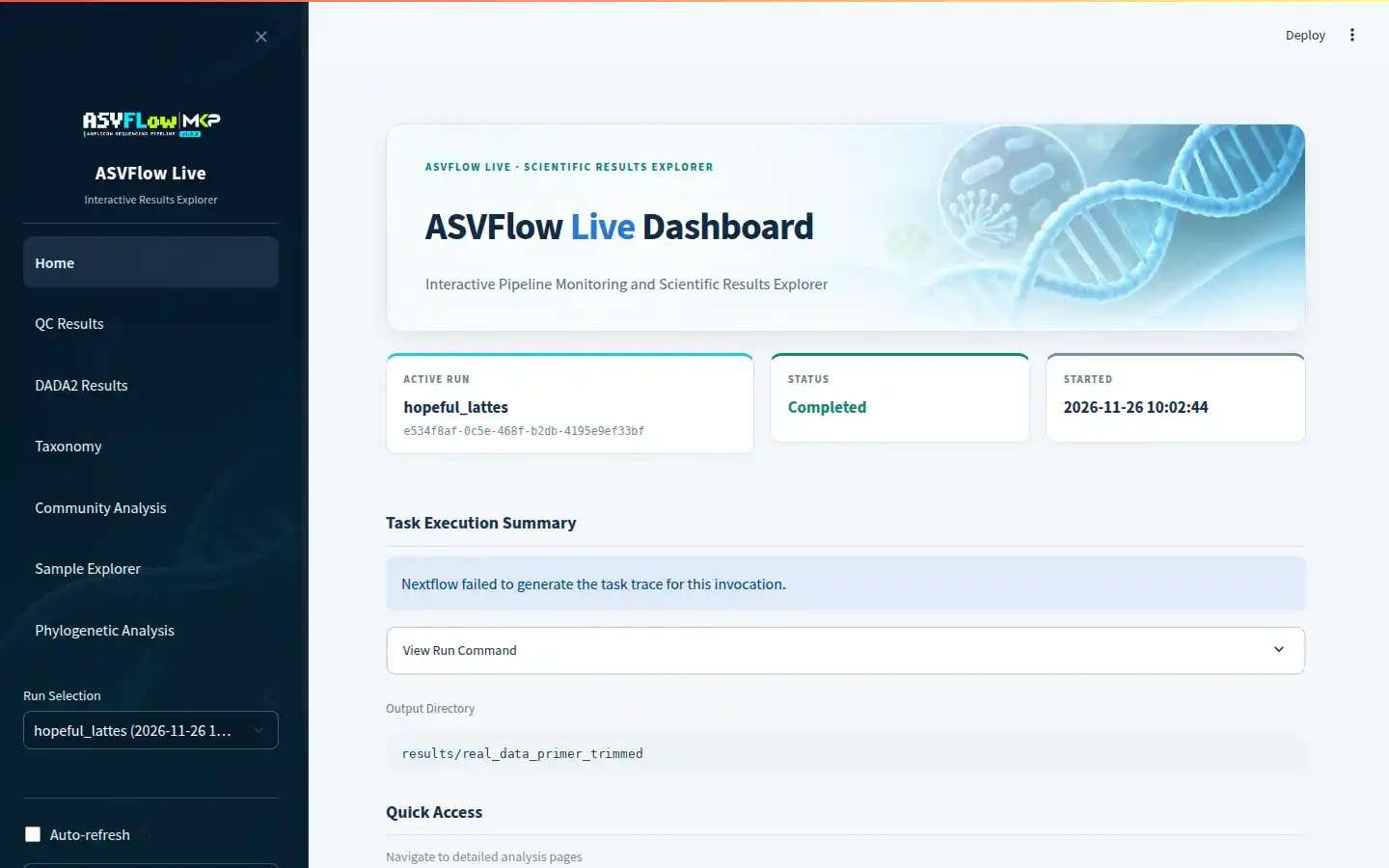
04 · Dashboard
The Streamlit results explorer selects from recorded runs and surfaces the outputs that exist for the selected run. Open a screenshot to inspect it at full width; the complete tree capture scrolls vertically in the viewer.
05 · Technology
Nextflow coordinates the stages; scientific tools run in Singularity-compatible containers configured for the pipeline.
MAFFT and FastTree are used for optional phylogenetic analysis. MultiQC aggregates the FastQC reports; Cutadapt handles optional paired-primer removal.
06 · Reproducibility
DSL2 modules keep each operation distinct. Nextflow configuration assigns process containers and resource limits, while parameters control optional branches and analysis settings.
nextflow run main.nf \
  --sample_sheet samplesheet.csv \
  --primer_mode paired \
  --primer_fwd GTGCCAGCMGCCGCGGTAA \
  --primer_rev GGACTACHVGGGTWTCTAAT \
  --run_dada2 true \
  --run_taxonomy true \
  --run_community_analysis true \
  --run_phylogenetic_analysis true \
  --sample_metadata metadata.tsv \
  --outdir results/my_run
Apptainer or Singularity with automatic mounts and per-process resource settings.
Nextflow can resume a run with -resume when its work directories remain available.
Trace, execution report, timeline, and invocation metadata are organized per run.
DADA2 is on by default; taxonomy, community, phylogeny, and dashboard are optional.
07 · Deliverables
Files are published below the chosen output directory. Optional folders and individual plots depend on run settings and whether the underlying data support the analysis.
qc/Raw and post-primer-stage FastQC reports with MultiQC summaries.
QC stagestrimmed/ · trimming_reports/Cutadapt FASTQ outputs plus JSON and text summaries.
Paired primer modedada2/Quality profiles, read tracking, error artifacts, ASV tables, sequences, and chimera statistics.
DADA2 enabledtaxonomy/Taxonomy table and assignment statistics; species outputs when requested.
Taxonomy enabledcommunity/Diversity, PCoA, sequencing-depth, composition, and eligible PERMANOVA outputs.
Community enabledphylogeny/Representative FASTA, sequence ID map, alignment, status, and Newick tree when available.
Phylogeny enabledNextflow trace, report, and timeline files are also recorded per invocation under .asvflow_dashboard/artifacts/.
Explore the implementation
Source, parameters, setup instructions, and output details are available in the ASVFlow repository documentation.